Turn a project brief into a clean, usable P6 structure.
- Create the project and working calendar
- Build a clear work breakdown structure
- Add, organise and code the activities
- Check that the schedule reflects the intended scope
LIVE, US-FOCUSED P6 SPRINT · AUGUST 8, 2026
Practical capability for US and global project-controls work.
A live, hands-on Primavera P6 sprint for Nigerian professionals and peers across Africa preparing for US and international construction roles. Build one schedule with Dr Francis, calculate its critical path, set a baseline, complete a guided progress update and explain what the dates mean.
Live on Zoom · Practice file · Recording · Four reusable templates
WHO THIS IS FOR
Designed for project engineers, site professionals, project managers and career-switchers in Nigeria and across Africa who want practical exposure to the scheduling workflow used on US and international construction projects.
You do not need previous P6 experience. You do need access to P6 Professional, a laptop and the willingness to build along live.
LIVE, NOT PRE-RECORDED
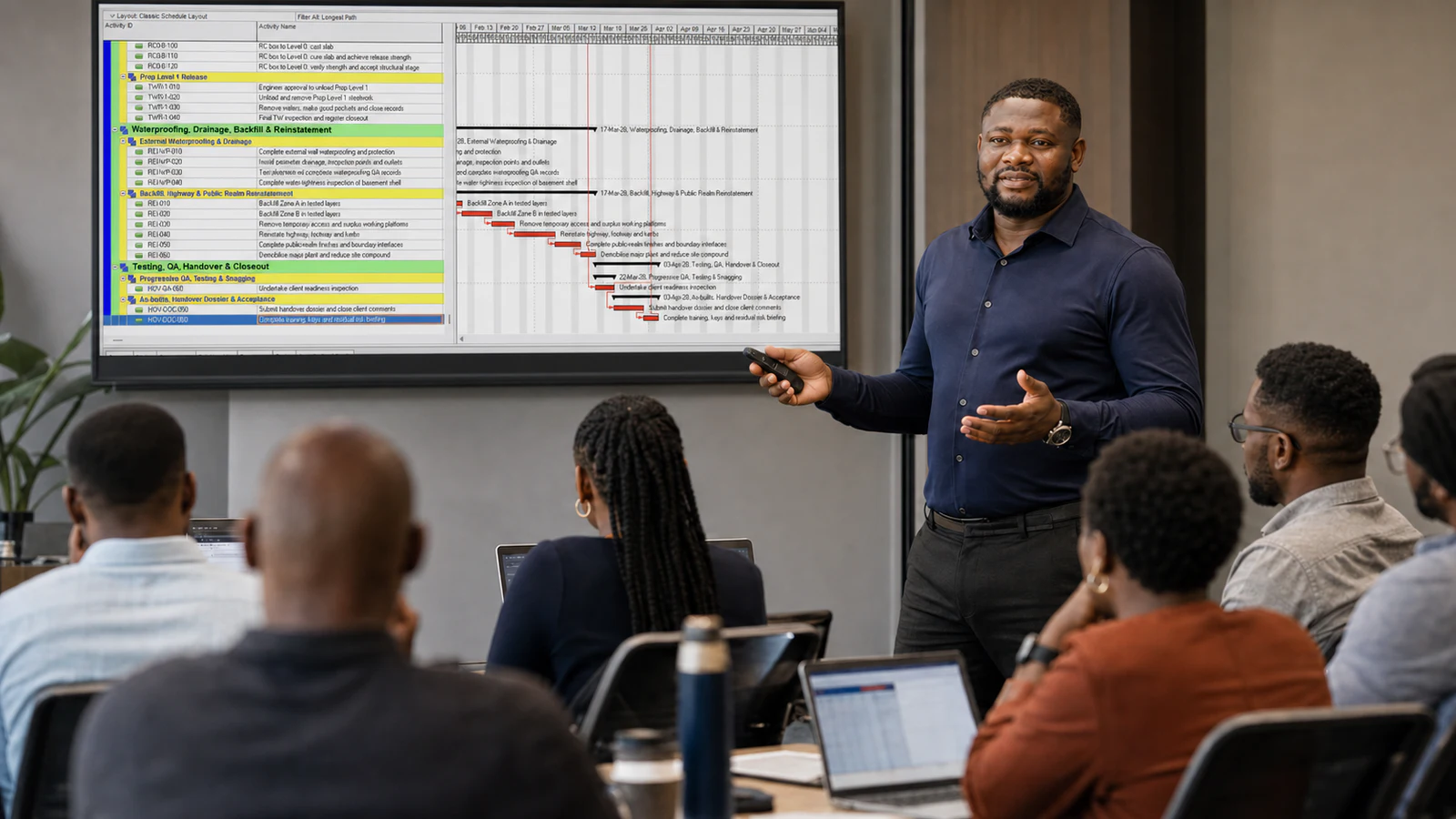
Dr Francis will share his P6 screen and build from a blank project while explaining each decision. You will follow in the supplied practice file, pause at guided checkpoints, ask questions and correct your work before moving on.
See the workflow performed live inside Primavera P6.
Complete the same steps in your own practice project.
Explain the critical path, variance and next actions clearly.

Teaching-scene imagery is illustrative. The Primavera P6 views use the authentic course layouts supplied by Dr Francis; the Sprint is delivered live on Zoom.
THE SIX-HOUR BUILD
We stay with one practical project from the first calendar to the progress update, so every step connects to the next.
Turn a project brief into a clean, usable P6 structure.
Build logic that produces dates you can understand and test.
Move from a plan to a simple, defensible project update.
A baselined and updated P6 schedule, a practical lookahead, and the language to explain what changed.
VERIFIED STUDENT REVIEWS
4.7/5
31 verified reviews for Dr Francis’s P6 Fundamentals Masterclass.
Read the independent review dashboard ↗These reviews relate to the longer Fundamentals Masterclass, taught by the same instructor using the same hands-on method.

YOUR INSTRUCTOR
“I will teach you the decisions, not just the clicks. By the end of the Sprint, you should understand what you built, why the dates moved and how to explain the result.”
Dr Francis Osadare is a project-controls consultant and founder of The True Troop Consulting. He combines hands-on scheduling experience with professional credentials in project management, risk and construction law.
His teaching is direct, structured and built for working professionals who need to turn technical software steps into clear project decisions.
KEEP THE WORKFLOW
Use the live session to build. Use the supplied files afterwards to repeat the workflow and apply it on your next project.
Follow the same schedule-building sequence used in class.
A reusable Excel report for short-term planning conversations.
Summarise current dates against the approved baseline.
Track progress and forecast movement by work breakdown structure.
A reusable bonus template; resource loading is not taught during this Sprint.
Replay the class and revisit the key P6 steps at your own pace.
LIVE COHORT · LIMITED PLACES
One focused Saturday. One connected workflow. Direct instruction and a practice pack you can keep using.
P6 Schedule-Building Sprint
One-time payment
Secure card checkout · Major cards and supported wallets
YOUR NEXT STEP, IF YOU WANT IT
Upgrade to the $797 P6 Fundamentals Masterclass by Tuesday, August 11, 2026 at 11:59 PM CT and your full Sprint fee can be credited. Terms apply.
After you enrol
Yes. The Sprint assumes no previous P6 experience. We begin with the project structure and build one guided schedule through logic, baseline and a simple progress update. Experienced planners who need advanced auditing, resources, codes, XER exchange and reporting should consider the full Fundamentals Masterclass.
You need access to a recent Windows desktop version of Oracle Primavera P6 Professional. The Sprint does not supply a software licence and does not teach the P6 EPPM web edition. A practice project file is included.
A same-day recording is included with lifetime access, so you can revisit any section. Live attendance is still recommended because it gives you the opportunity to ask questions and check your work during the guided stages.
Yes. Enrolled students receive a personalised completion certificate from P6 Pro Academy / The True Troop Consulting after the session and completion steps.
A payment receipt is sent to the checkout email. If your employer requires a manual invoice, company name or purchase-order reference, message us on WhatsApp before enrolling and we will arrange it.
The Sprint includes a 60-day money-back guarantee under the refund policy. Your full $149 fee can also be credited towards the $797 P6 Fundamentals Masterclass when you complete the upgrade by Tuesday, August 11, 2026 at 11:59 PM CT. The credit is non-transferable and subject to the terms of sale.